
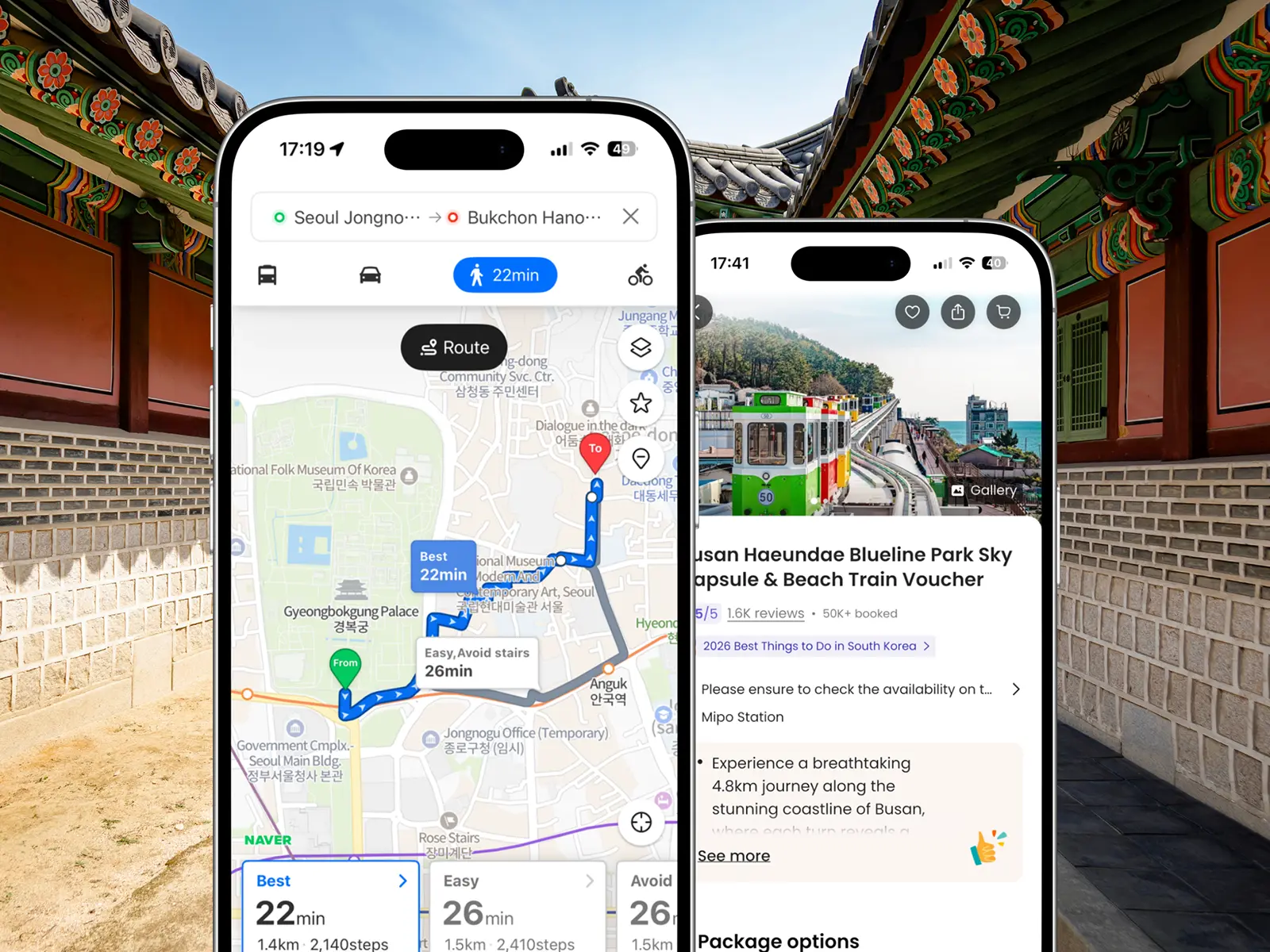
The Only 5 Apps Worth Downloading Before You Visit Korea
This post may contain affiliate links, including from Amazon and other trusted partners. If you click a link and make a purchase, we may earn a small commission at no extra cost to you. That said, we only recommend products and services we genuinely use and love. Learn more in our Privacy Policy page.


Before our last trip to South Korea, we went looking for app recommendations. What we found was post after post promoting 15, 18, even 20 apps for a single trip. Nobody wants (or needs) that.
We've been to South Korea four times now across multiple cities, and the apps we rely on have barely changed. Every country has its own apps worth knowing about, and South Korea is no different.
But we've cut it down to five apps that we'd genuinely consider essential, plus a handful of others worth knowing about depending on how you travel. And we only picked the ones that work in English.
Two that make the biggest difference from day one: Papago, which turns an otherwise disorienting language barrier into something manageable, and Klook, which is simply the best platform for booking tours and experiences across Asia.
Whether it's your first trip or fourth, these are the best apps for South Korea to have on your phone before you land.

1. Naver Map for navigation
We use Google Maps everywhere we travel, but South Korea is one country where it doesn't quite work.
For data security reasons, the Korean government doesn't allow precise map data to be transferred to overseas servers, so walking directions simply don't appear. Public transport works fine, but that's about it.

Naver Map is what we switched to, and it solved everything immediately.
Walking routes, driving directions, public transport options, real-time subway and bus times, transfer guidance across all the major metro systems, including Seoul and Busan.
What we loved most was how easy it made exploring on foot. Finding a specific café in Ikseon-dong or tracking down a temple entrance in Gyeongju that Google had completely missed took seconds. You can save favourite spots as you go.
For us, Naver Map is the #1 app to download for South Korea.
Kakao Map is the other popular option, but we'd pick Naver Map every time. We actually tested both side by side in Seoul, and Naver consistently had more reviews for restaurants and cafes.
It's also simply a more complete all-in-one experience for getting around.
👉 Download Naver Map: App Store (iOS) | Google Play (Android)
2. Papago for translation
Our very first trip to South Korea came with a surprise we hadn't fully prepared for.
Even though we’ve travelled to many countries across Europe and North America, arriving somewhere where you can't read a single sign, (let alone warning messages) is a different kind of culture shock. It felt a bit like being illiterate.
Papago was our lifesaver. Developed by Naver, it's specifically built for Korean and handles local language far more accurately than Google Translate, especially with slang and everyday phrasing.

The image translation is the feature we used most. Point the camera at a menu, a sign, or a product label in a supermarket and it translates instantly.
We also tried the conversation mode with our South Korean friends, us speaking English and them responding in Korean. The real-time translation worked surprisingly well, although we quickly switched back to chatting in English.
👉 Download Papago: App Store (iOS) | Google Play (Android)
3. Klook for booking tours and attractions
Klook is the Asian equivalent of GetYourGuide in Europe or Viator in the US. It's the dominant platform for tours and experiences across Asia, and for South Korea specifically, it's always our go-to app.
What sets Klook apart from the others is the inventory. Beyond tours, it covers entry tickets for major Korean attractions and even its own city passes.
For example, there’s the Klook Pass Seoul and Klook Pass Busan, which bundle multiple experiences at a discounted rate.

They also have specific experiences that just don’t exist on other booking platforms, like this kimchi-making experience in Seoul (a non-negotiable for us).
The app makes it easy to browse and book on the go. We really like Klook because they sometimes even offer slightly lower rates than the official websites.
For entry tickets to places like Lotte World amusement park, it's the most straightforward way to sort things before you arrive. If you're not sure what needs booking ahead, our guide to what to pre-book in Seoul covers exactly that.
👉 Download Klook: App Store (iOS) | Google Play (Android)
4. Uber or K.ride for hailing a taxi
Taxis in South Korea are plentiful and generally affordable, but hailing one the traditional way as a tourist can get tricky due to the language barrier.
A ride-hailing app makes everything simpler, and you've got two solid options depending on what you already have on your phone.
If you're already an Uber user, stick with Uber. We used it in both Seoul and Busan, and it worked seamlessly, including for the trip out to Haedong Yonggungsa temple (one of the harder-to-reach spots in Busan).
With Uber, there's no new account or payment setup to worry about. For a country you're visiting once or twice, that's hard to beat.
If you don't use Uber or want a dedicated local option, go with K.ride. It's built by Kakao Mobility, the same company behind Kakao T, South Korea's most popular taxi app.

K.ride accepts overseas credit cards, works with foreign phone numbers, and gives you a smooth, Uber-like experience to your destination with in-app payments throughout.
The problem with afore-mentioned Kakao T is that it regularly rejects foreign credit cards, which we found out the hard way after a taxi ride in Seoul left us scrambling to pay.
👉 Download K.ride: App Store (iOS) | Google Play (Android)
5. Airalo for staying connected
We still remember when hunting down a physical SIM card at the airport in a new country was just part of the trip. Not the greatest experience, in hindsight.
Thankfully an eSIM has replaced all of that since we made the switch a few years ago.
An eSIM is a digital SIM built into modern phones that lets you activate a local data plan via a third party application.

Having internet from the moment you land is exactly why eSIM apps like Airalo has become a must-have app for international travel. You can navigate, translate menus, and check transport times without hunting for a Wi-Fi signal.
We've tried a few different eSIM providers over the years and eventually settled on Airalo. You can buy your data plan in the app, activate it before you fly, and hit the ground running as soon as you land in South Korea.
No queuing, no card swapping, no setup drama.
👉 Download Airalo: App Store (iOS) | Google Play (Android)
Other useful apps for South Korea
These didn't make our list of essential apps, but each one is worth knowing about depending on how you travel.

Ready to plan your South Korea trip?
Getting your apps sorted before you fly is a small thing that makes a surprisingly big difference on the ground. Between Naver Maps, Papago, and a working payment method in your taxi app, you'll sidestep most of the friction that catches many first-time visitors to South Korea off guard.
If you're still putting your itinerary together, check out the must-do experiences in Seoul for some inspiration.
It’s also worth knowing the biggest mistakes tourists make in Korea so you can avoid them altogether.
And once you're ready to think about where to base yourself, our post with the best areas and hotels in Seoul covers everything you need to find a place to stay in the capital.
We've now been to South Korea four times, and honestly, the apps list hasn't changed much. That's usually a good sign.
Save this post for later:


🇰🇷 Plan your South Korea trip with our guides
📍 South Korea essentials
📍 Seoul
📍 Busan